New academy dedicated to electronic invoicing, organised this time just a stone's throw from my home in Montpellier. Each session is different, even if we stick to the same teaching material: interactions with learners trigger new questions and demonstrations. Here are some features of Odoo that I think are worth highlighting.
How do I send my invoices to my accounting firm with Odoo?
Odoo integrates an accounting solution but sometimes the company is hesitant on this subject and prefers to stick with the current software of the accounting firm that supports it. Therefore, the transmission of information between a company and its accounting firm can be a tedious and time-consuming operation. Odoo offers several ways to address the issue, with only the "Invoicing" application installed:
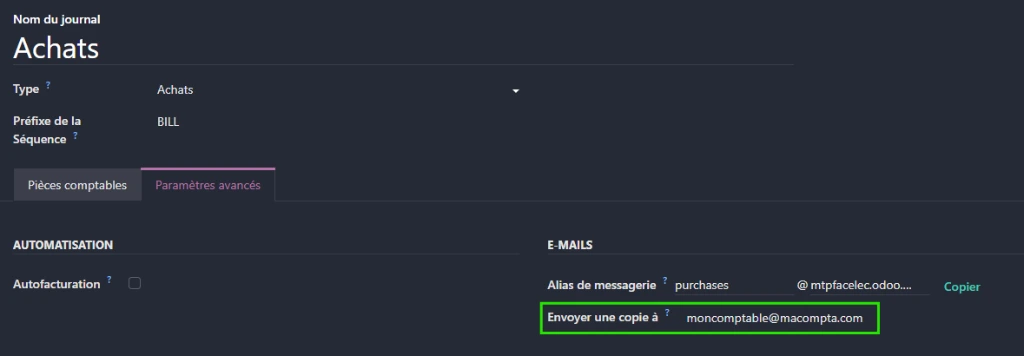
- a systematic forwarding of sales and purchase invoices via a configuration on the respective journals: any document created will then be automatically forwarded to the accounting firm
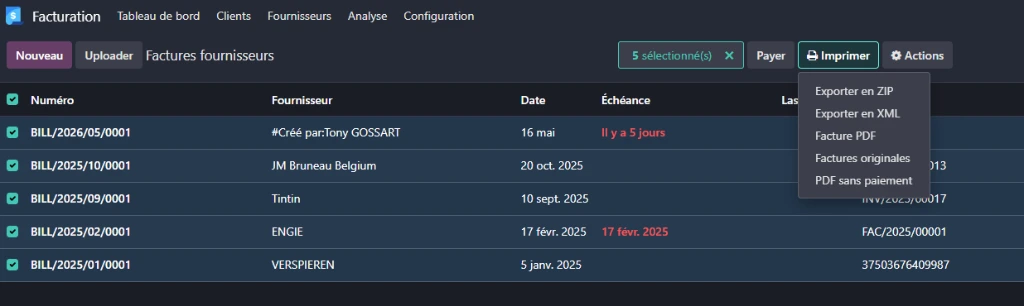
2. an extraction from the list of invoices (after applying filters/grouping if necessary):
Can we scan a receipt for our purchase accounting with Odoo?
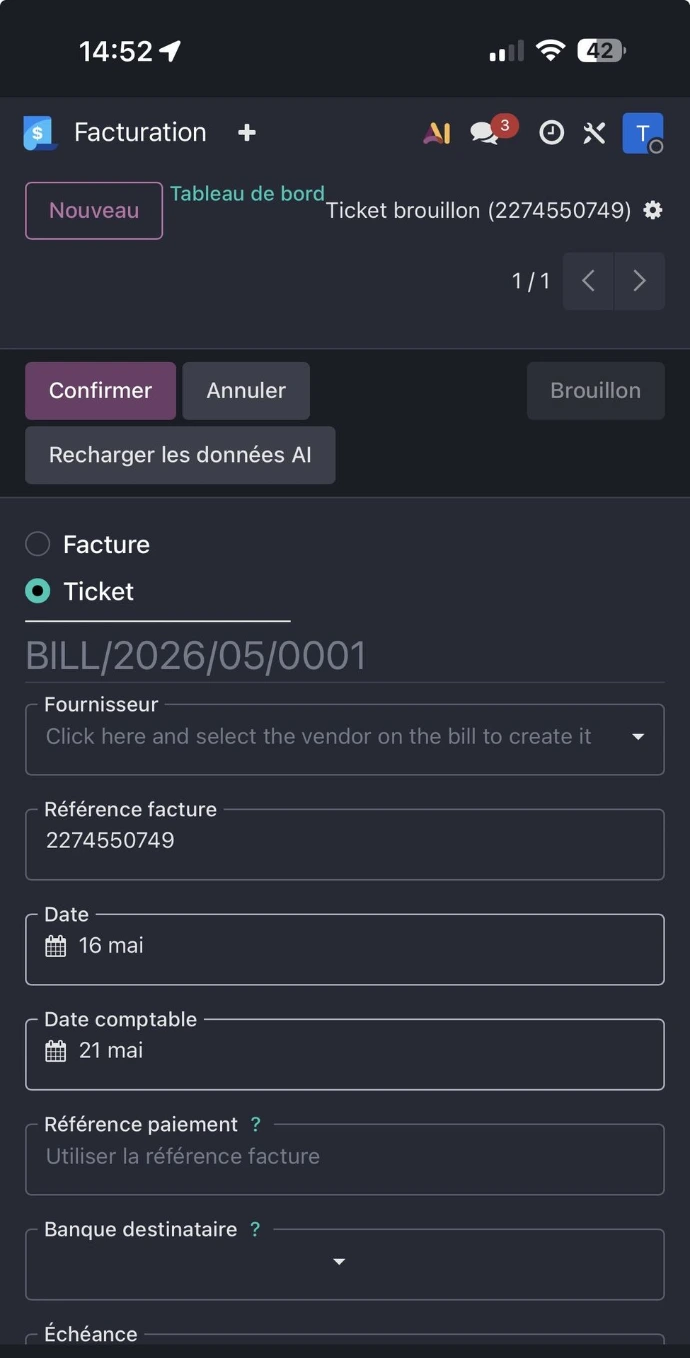
Accounting mobile applications (e.g. Pennylane) allow for quick entry of receipts into the accounts using a mobile phone. This function is also available in Odoo and here is the method to follow:
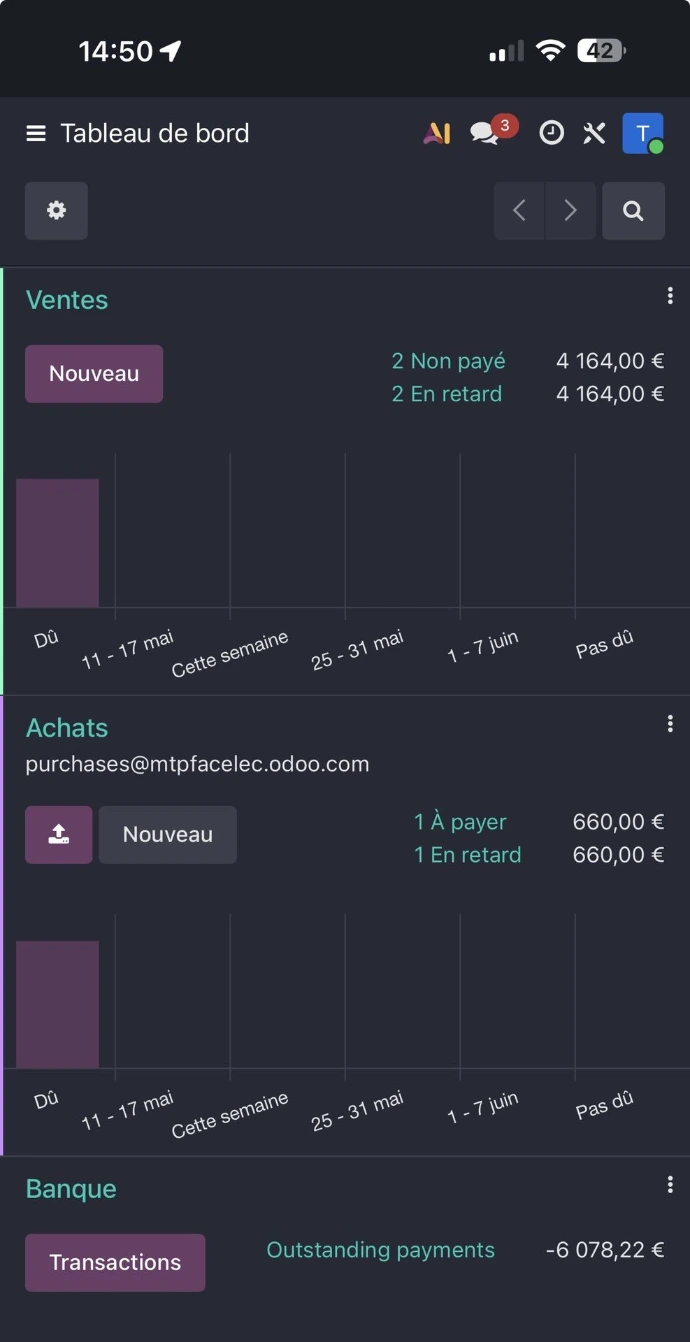
- We use the document upload button from the "Purchases" journal in the "Invoicing" application
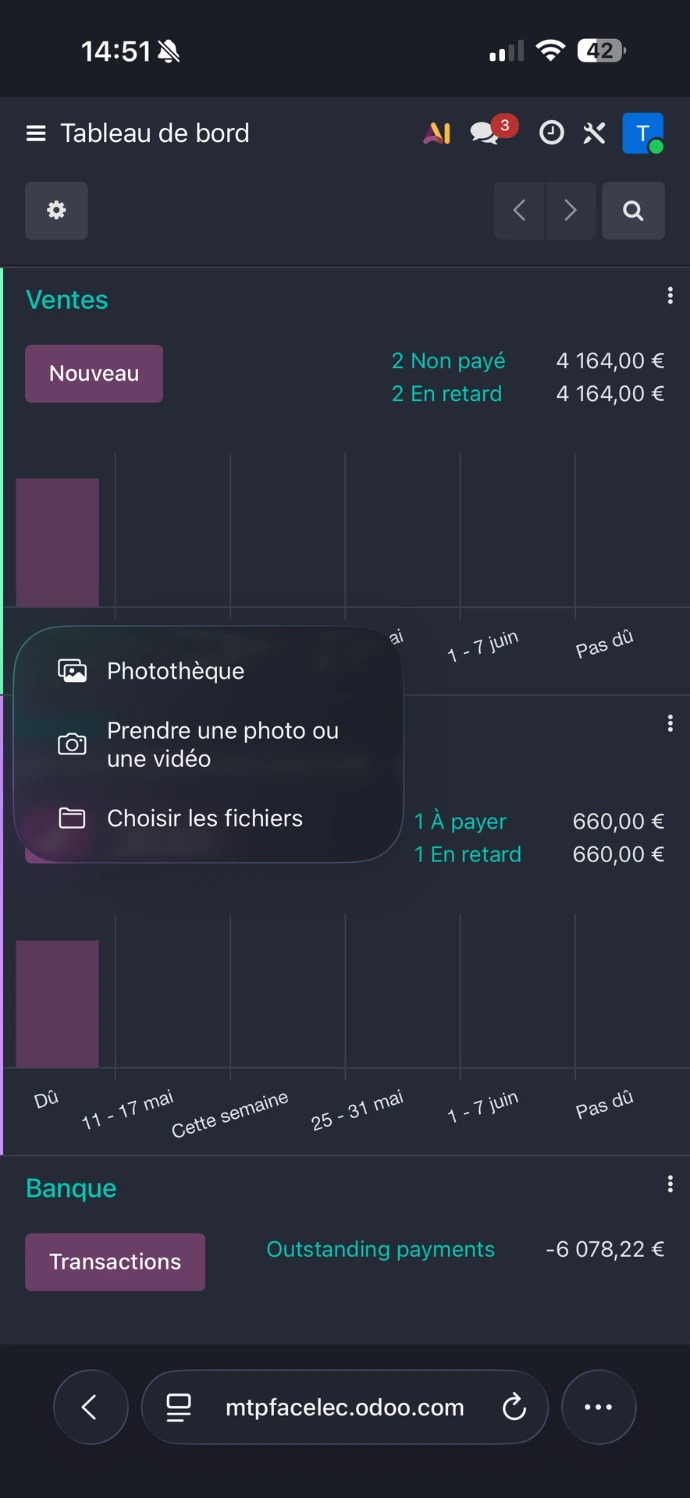
- We then select the "take a photo" option to scan the receipt given to us by the merchant.
- Finally, the application will proceed with character recognition to create the receipt in the system. We will be able to adjust the content and save.
How do we validate a bank account in Odoo?
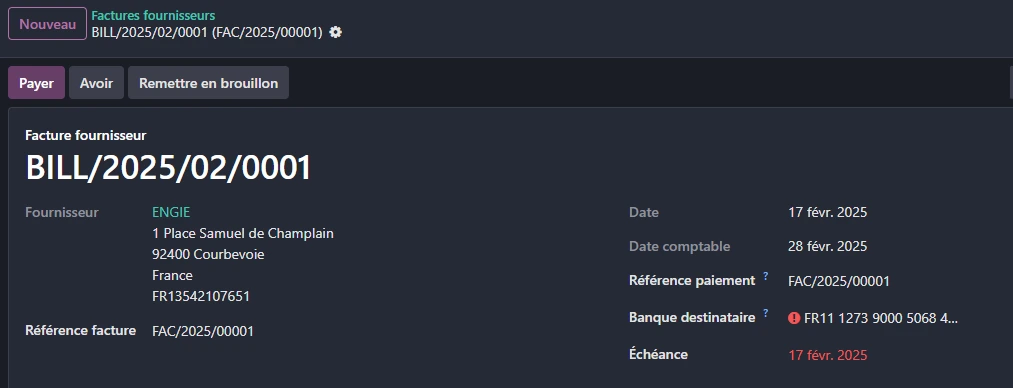
The bank accounts that we will create (both manually and via character recognition on purchase invoices, as well as through electronic format integration) are subject to validation by the user, particularly to prevent fraud.
This is reflected in Odoo by the following display: the bank account is preceded by a red icon indicating the problem
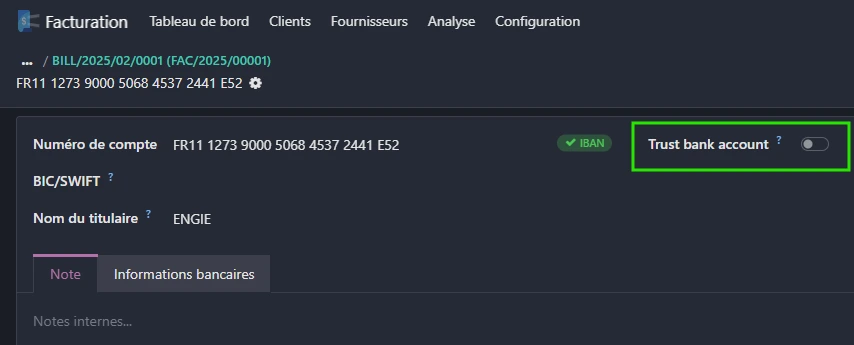
We then need to interact with the "Trust bank account" button so that payments to this bank account can be made
Electronic invoicing is in: